
Professional vehicle condition reports. Fast, accurate and certified
The Apex App gives businesses a faster, consistent way to inspect vehicles, equipment and client assets. Guided camera records the evidence, AI identifies and describe it, and you approve a branded report your clients trust.
- Works on every device
- Secure cloud storage
- Website & PDF reports
- Brilliant customer experience
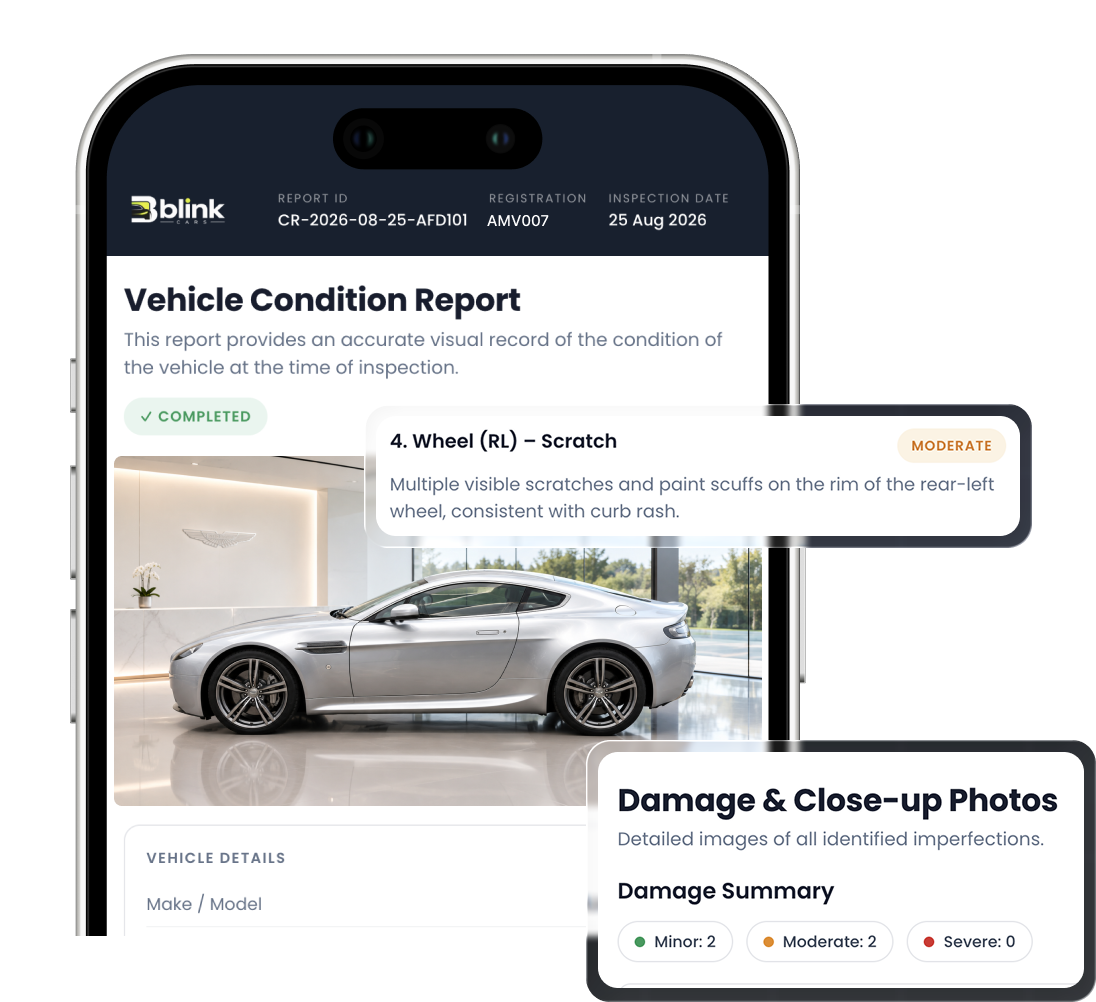
#1 Growing Condition Reporting Tool
Trusted by vehicle professionals who care about the details
- Vehicle condition reports created
- Businesses reporting with Apex
- Inspection photographs captured
Professional vehicle condition reports, every time
Apex Reporting is designed around four pillars businesses tell us matter most: quality, precision, reliability and accurate client reporting.
Faster
Report creation
400% faster than other tools
Consistent
Inspection structure
Guided workflows with AI
Clearer
Photographic evidence
Super Hi-Res documentation
Client ready
Professional Web & PDF output
100% digital customer experience
Customers and partners using Apex Reporting







Create a vehicle condition report in four clear steps
One clear process from the moment you arrive on site to the moment your client receives the finished report.
- 01
Capture
Work through a guided checklist on your phone or tablet. Apex prompts you for the photographs and details each inspection type needs, so nothing is missed.
- 02
Analyse
AI assistance organises your images, suggests plain English damage descriptions and highlights areas that need a closer look before you finalise anything.
- 03
Review
You stay in control. Edit suggested wording, adjust condition ratings, annotate photographs and add recommended actions before the report is approved.
- 04
Share
Generate a branded, client-ready website and PDF, shared as a link or email. Every version is stored with a full history so you always have the evidence to hand.
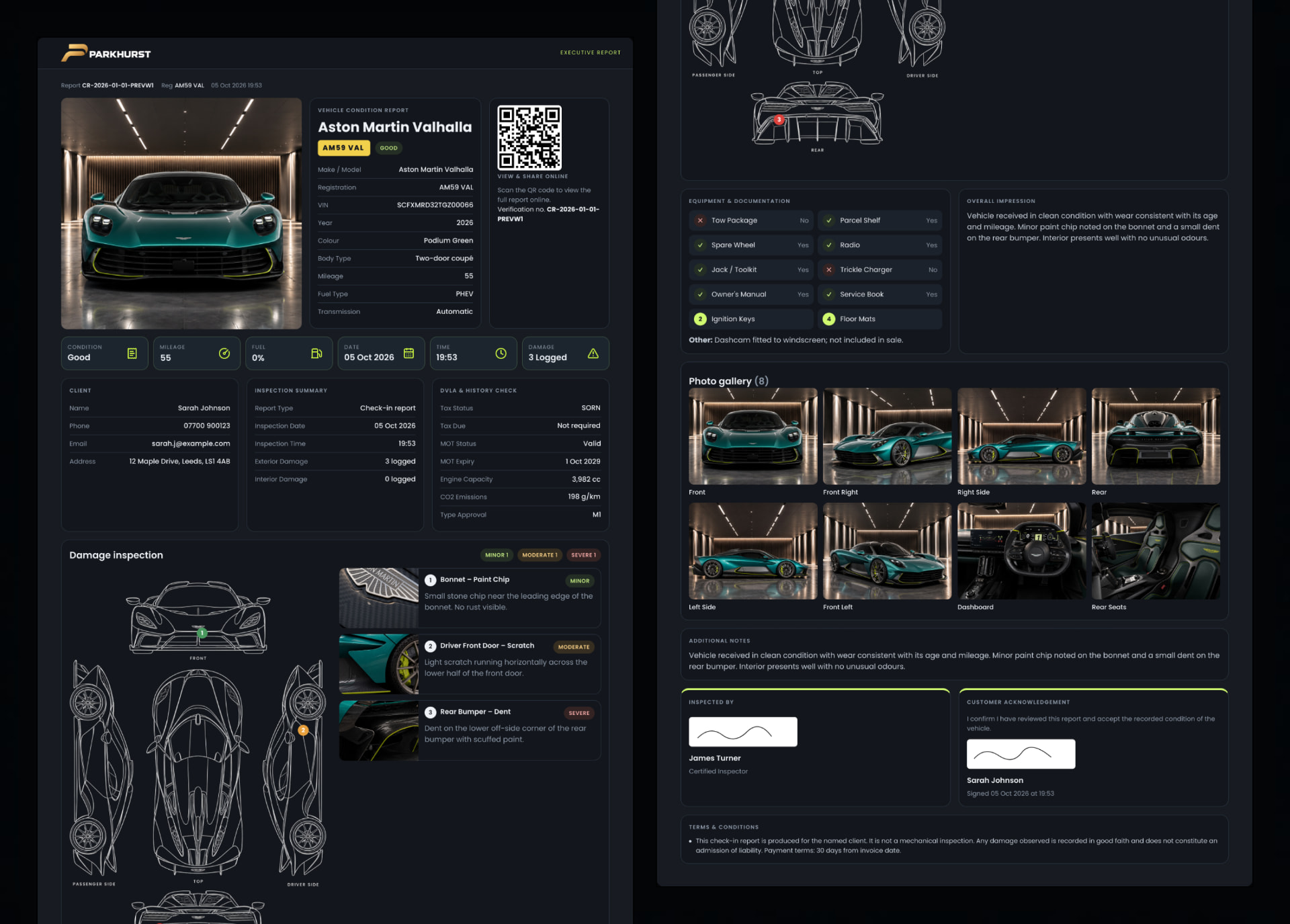
Vehicle condition reporting features in one app
From the first photograph to the final signature, Apex Reporting keeps your evidence organised and your output consistent.
Guided camera capture
An in-app camera with framing guides, required-shot prompts and instant retakes for every inspection point.
ExploreGuided inspection workflows
Step-by-step inspection flows tailored to the asset type, with mandatory fields and logical ordering.
ExploreAI assisted condition descriptions
AI drafts clear, professional wording for observations based on your photographs, ratings and notes.
ExploreCondition ratings
Standardised rating scales applied to each component, area or item within a report.
ExploreImage annotation
Add annotations and callouts directly in the app.
Explore3 Report templates
Choose between 3 reusable templates for each inspection type, timestamped photos, GPS coordinates, condition notes, mileage and digital signatures.
ExploreCustom report branding
Apply your logo, colours, contact details and cover styling to every report you issue.
ExploreWeb and PDF exports
Generate a Weblink of a printable A4 PDF with photographs, ratings, observations and sign off in one action.
ExploreSecure cloud storage
Reports and images stored in the cloud with access controlled by your account permissions.
ExploreTeam accounts and permissions
Invite colleagues, group them into teams and control what each role can see, edit and publish.
ExploreReview and approval workflows
Enterprise users can send reports for internal review before they reach the client with status tracking.
ExploreReport search, history and audit trail
Search past reports by client, asset, date or status and view a record of changes and versions.
Explore
Vehicle inspection software built for your business
Apex Reporting adapts to the assets you look after and the way your business already works.
Vehicle condition reporting
Check-in's, transportation, handovers, returns and damage documentation for Cars, Motorbikes, Boats and more.
View solutionEquipment and machinery inspections
Pre-use checks, servicing records and condition monitoring for plant and equipment.
View solutionHire, rental handovers and returns
Out and back condition reports for anything you rent to customers.
View solutionMaintenance and service documentation
Evidence of work carried out, from cleaning and restoration to reactive repairs.
View solutionInventory and asset condition tracking
Condition records for furniture, fixtures, tools and client-owned items.
View solutionInsurance-related documentation
Well-structured evidence packs to support claims and risk documentation.
View solution
AI assisted vehicle reports that keep you in control
Apex Reporting uses AI to remove the repetitive parts of reporting, not to replace professional judgement.
Organises your evidence
Photographs are grouped against the right section, asset and date as you capture them.
Suggests clear descriptions
AI vision scans and suggests proposed wording for each photo rather than you starting from nothing.
Highlights areas to check
Scans show potential issues and flagged for your attention, prompting a closer look before sign-off.
Helps structure the report
Findings are arranged into a consistent format your clients will recognise every time.
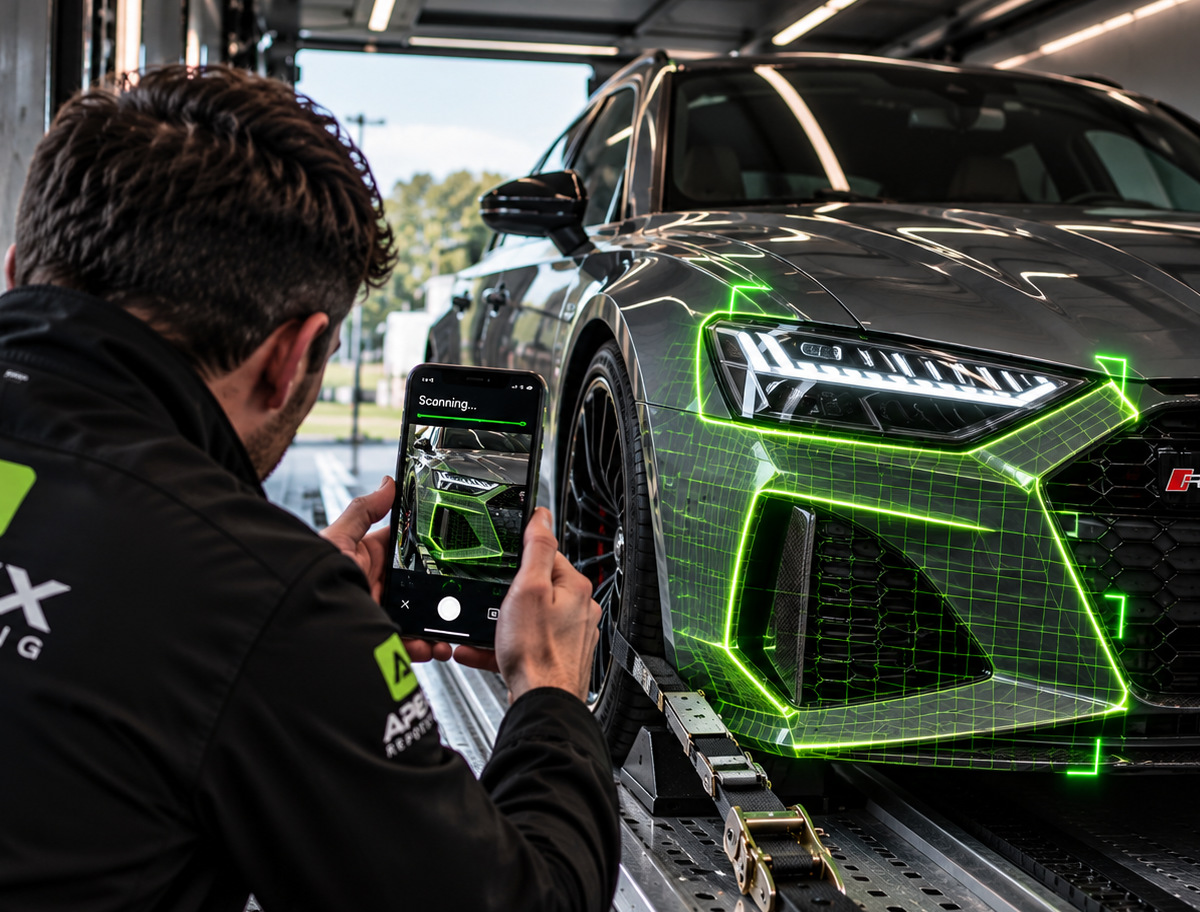
Professional vehicle condition reports for every client
A clean, branded document with the evidence, ratings and recommendations laid out clearly. The example below is illustrative.
Vehicle Condition Report
Reference APX-0247 · Example report
- Client
- Northbridge Hire Ltd
- Inspection date
- 12 March
- Asset
- Panel van · Reg [placeholder]
- Location
- Depot 2, service bay
- Inspector
- A. Example, Field Inspector
- Report type
- Return handover
Condition ratings
- Exterior bodywork82/100
- Interior condition94/100
- Tyres and wheels61/100
- Lights and glass88/100
Observations
Light impact damage to the front nearside wing with paint loss and early surface corrosion. Two tyres approaching the minimum tread depth. All lights and glazing functioning correctly at the time of inspection.
Recommended actions
- Refer wing damage for repair estimate.
- Replace nearside tyres before next hire.
Annotated evidence


Sign-off
A. Example
Field Inspector · Reviewed and approved before issue
Replace manual vehicle write ups with consistent digital reports
You're not short of expertise. You're short of time, structure and consistency. Apex Reporting supplies all three.

Less repetitive administration
Reports are assembled as you work instead of being typed up in the evening.
Consistent inspections
Everyone follows the same structure, so quality does not vary by person or day.
Clearer client communication
Ratings, annotated photographs and plain language leave far less room for misunderstanding.
A professional audit trail
Versions, timestamps and approvals are recorded as a matter of course.
Better protected business
Stronger evidence puts you in a far better position when condition is questioned.
Reporting that scales
Add inspectors and teams without rebuilding your process each time.
Fewer missed details
Required fields and shot prompts catch omissions before you leave the site.
A better customer experience
Clients receive a clear, well-presented document quickly, not days later.
How businesses are improving
See what our clients are saying about Apex Reporting and the outcomes for their business.
“We used to spend 3x the time writing up inspections. Now reports are finished within minutes, and it looks far more professional when it reaches my client.”
Operations Manager
Vehicle storage
“We have saved thousands in disputes with the evidence these reports recorded. Without Apex, we simply wouldn't have the backing needed to protect our bottom line.”
Head of Delivery
Vehicle transportation
“Damage disputes on returns were a weekly occurrence. Having dated, annotated photographs in one branded document has made those conversations much shorter and much calmer.”
Equipment Hire Manager
Plant and tool hire
Create your first condition report today
Set up your account, choose a template and complete a real inspection. If you would prefer to see it first, book a walkthrough with our team.
No contracts • No commitment required • Cancel anytime.